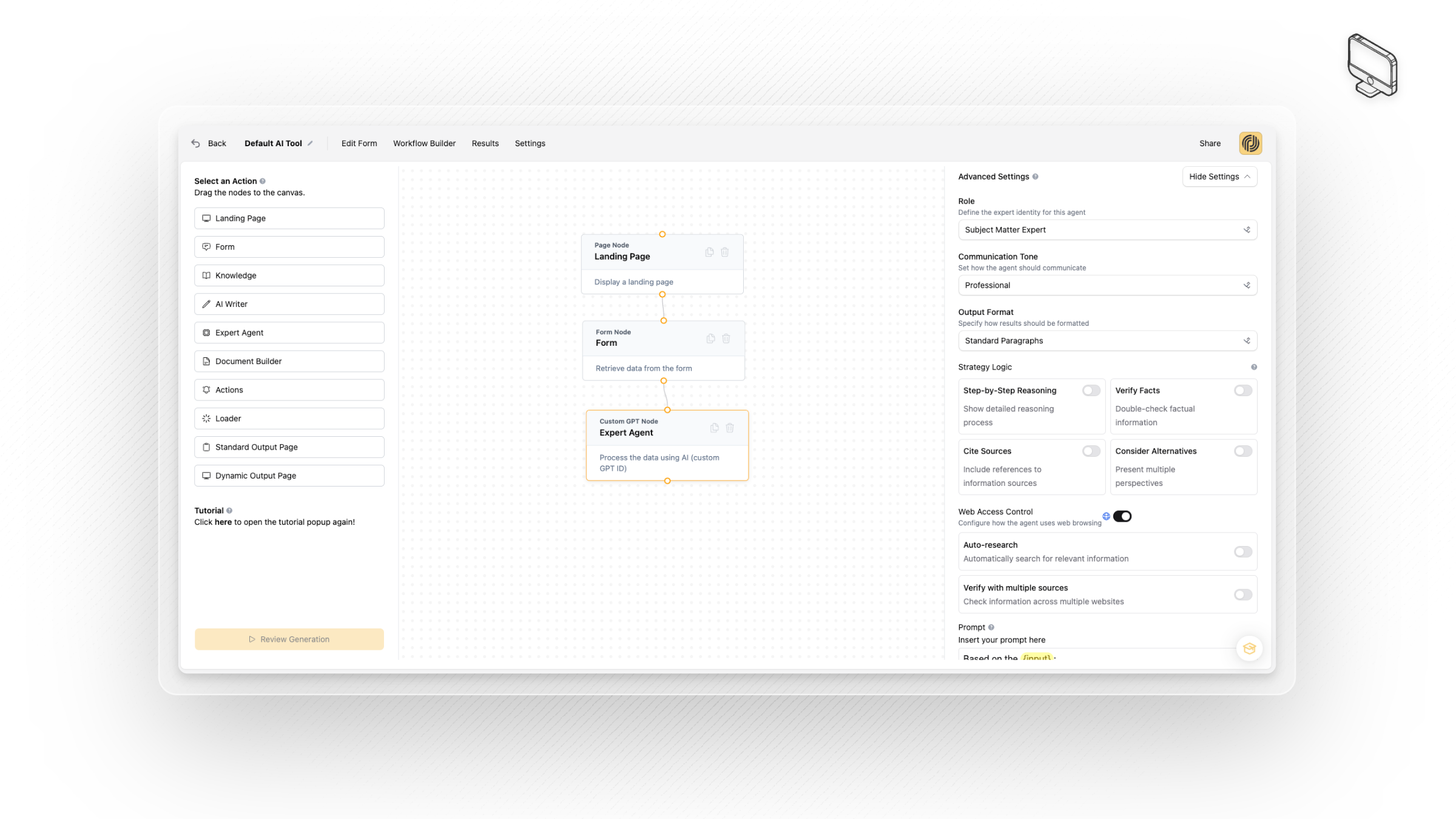
Leveraging the new Expert Agent node in the workflow builder, you can now instruct the AI to search the web and have additional settings for the content that is returned.
First, add the Expert Agent node to the canvas in the workflow builder, then configure the web search settings (on by default) under 'advanced settings' to allow for web search functionality in your AI Product.
There's plenty of additional settings you can configure from the advanced tab; including role, tone, output format and even strategy logic. In order to ensure the web search feature returns the optimum results you will need to issue a prompt to the node that is specific and actionable such as:
'You are an expert in the fitness space. I would like you to browse the web to find 3 fitness trends that are of relevance to the fitness product I am creating and will substantiate the output.'
Important Limitations With the Web Search Feature
This is a web search feature only, it does not scrape pages or crawl them. It is not designed for data extraction from web pages in anyway. Generally the results provided will be consistent with what is available on search engine results pages.
Some companies have actively blocked any automated searches for their products or services. Therefore your results may vary.
*Be aware that using the web search functionality will result in higher token usage which may incur additional costs for you.